We use namespaces or containers to organize data in the data lake. Inside containers we have a hierarchical structure of files and folders similar to the traditional OS file system. In fact, containers in ADLS gen 2 are also referred to as a file system.
The file system driver that ADLS gen2 utilizes – Azure Blob File System or ABFS – is part of Apache Hadoop. It allows access to ADLS gen2 from all Apache Hadoop environments, such as HDInsight, Azure Databricks, Azure Synapse, Azure Data Factory.
Regardless of the technology, it is a good practice to organize a data lake in layers or zones reflecting different states of the data. A layer for each specific purpose. For example: we want to land data in the data lake as-is, then we cleanse it, we transform it, we aggregate it, and so on .
There is not a one-size-fits-all approach when it comes to layering. Each project will have its specifics and its own set of requirements, and therefore different number of layers.
WTA Insights – data lake zoning
We divide the data lake store for the WTA Insights project into two layers: landing zone and cleansed zone.
Landing zone – or raw zone, will the landing point for all the tennis_wta source files, in their raw format, as copied from github.
Cleansed zone – in this layer we will perform various data transformation operations, data validation, removing unnecessary columns, combining files and so on. This layer will provide the data source for Power BI. Remember though that we will do some further data modeling in Power Query, before we build the WTA Insights reports.
Let’s head over to Azure Portal and create a container for each zone.
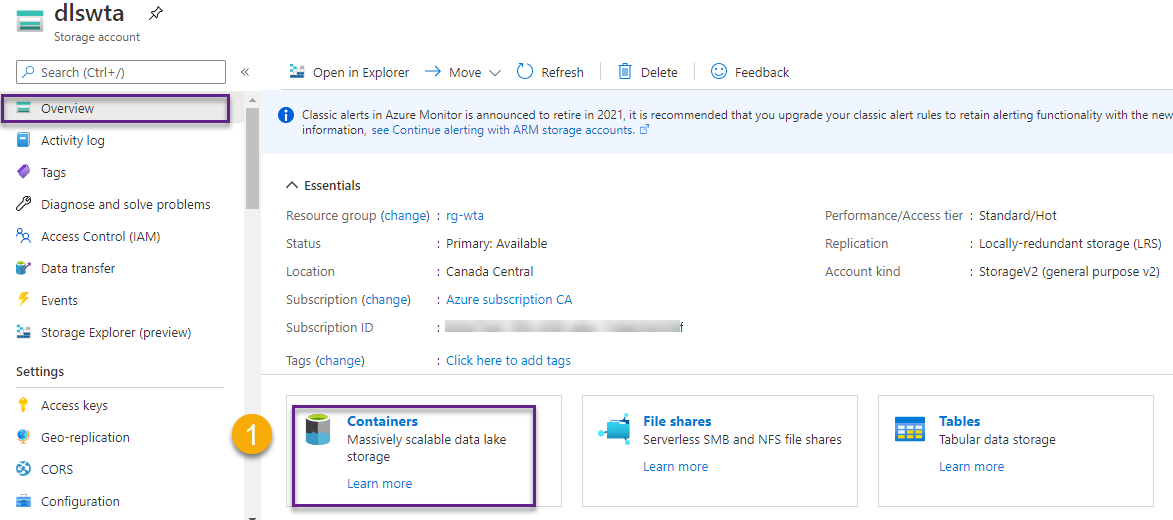
On the Overview page click on Containers.
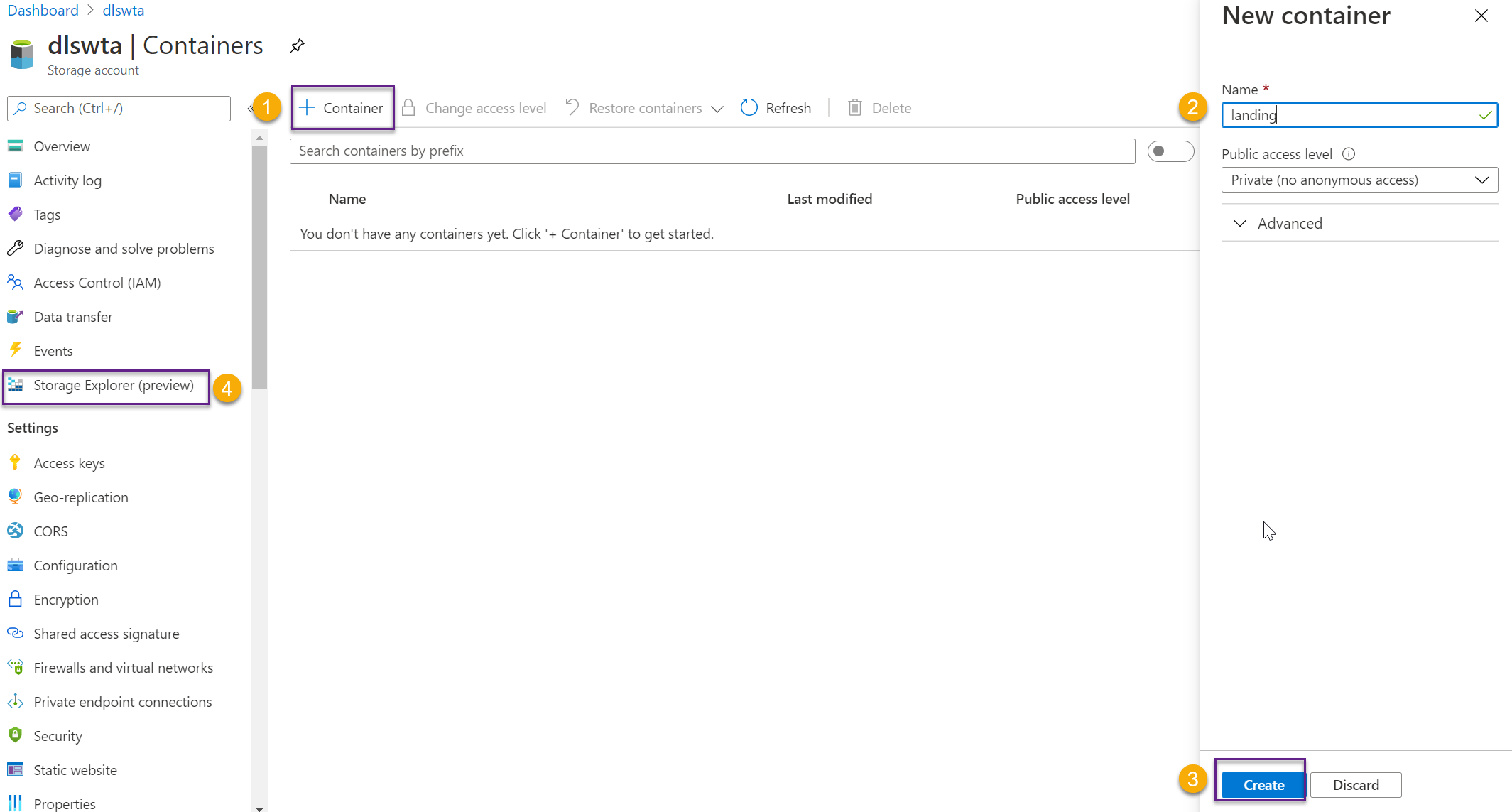
Then click on + Container and follow the steps to create a new container, as shown in the image below. Create one container for each zone and name them landing and cleansed, then head over to Storage Explorer.
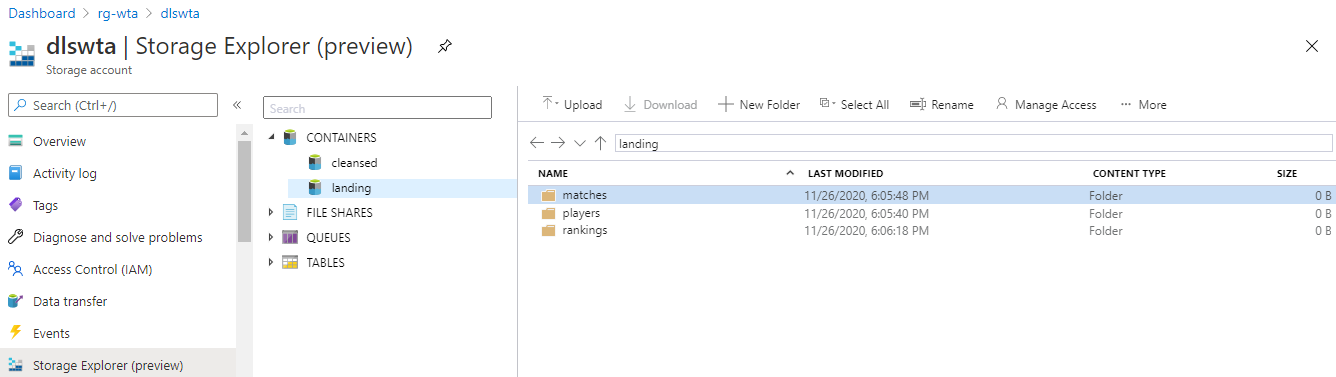
In the Storage Explorer page, expand Containers and in the landing zone create one folder for players, matches and ranking files in the tennis_wta dataset.
What’s next
Now that things start to get a contour let’s see some action. It’s time to ingest the tennis_wta files using Azure Data Factory. Switch over to the next series of posts on Azure Data Factory to explore how this is done.🐳
Want to read more?
Microsoft learning resources and documentation:
The Azure Blob Filesystem driver (ABFS)
Azure Data Lake Storage Gen2 URI
How to organize your data lake
 { DataWhale.ca }